Introduction:
A damage report can be made for any damage that may occur to devices such as bollards, barriers and garage doors. This is done via the mobile app by a parking attendant, who can also report the damage observed during his rounds. Once submitted, the damage can be viewed in the web app.
Example:
The web app shows where exactly the damage occurred (zone and also the exact geographical position) and on which device. It is also possible to filter according to two search criteria. Only pending" and "Only completed" damage.

Abbildung 28: Damage reports homepage
For further information such as the name of the park ranger who submitted the report, his number and a picture of the damage, the editing mode (green pencil symbol) can be opened.
In the "Status" bar, you can note how the damage was handled. The following can be selected: "New", "Noted", "Repair in progress", "Invalid" and "Repaired". If a status is set to "Repaired" and saved, a tick appears on the start page of the damage reports under "Completed".
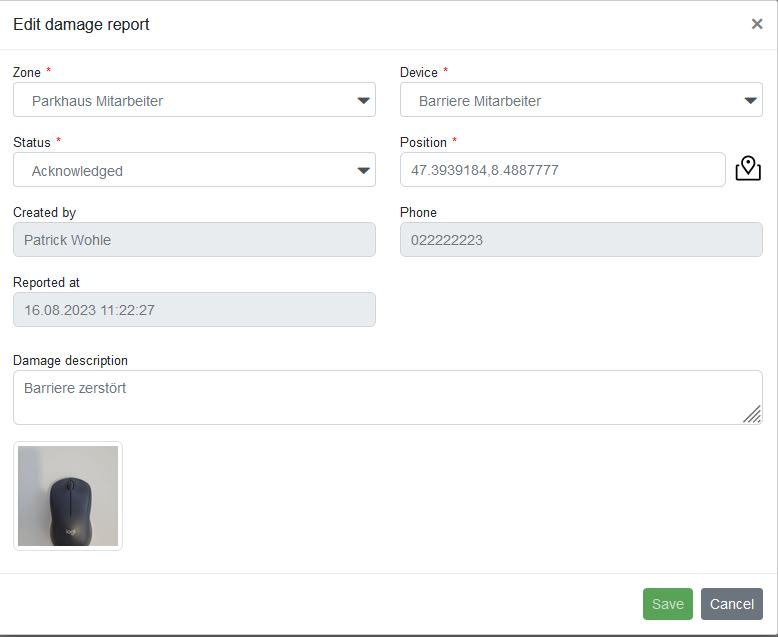
Abbildung 29: Editing damage report