Introduction:
Under the menu item "Parker Registration", the admin can view each individual vehicle checked in detail, together with the fines issued and any pictures taken of the respective associated vehicle that the parking attendant has shot.
Example:
Two types of view are visible from the start page. With the grey bar, either the raw data or the evaluated data of registered parkers can be viewed.
Homepage raw:

Abbildung 20: Raw parker registration page
In the overview of the raw data, you can see who has been recorded by the scanners or parking attendants at which location and when.
Each detection is displayed individually with the exact times of detection. Type’ refers to the type of registration with which the parker was registered. In other words, various types of scanners (entry/exit) or car park attendants. Personal data that may have been stored with the licence plate number is also displayed. The zone in which the entry was made is also displayed. The type of columns listed can be customised at the top right under ‘Columns’. In addition to the columns already shown, there are five further options to choose from.
The type of offence (No offence, zone not allowed, No entry reading, Ghost read) is also listed in the last column. Here again, the ‘offences’ that the parker may have committed are shown with a red triangle or the dollar sign (see parking attendant rounds and picture below):
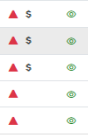
Abbildung 21: Offence signs
Clicking on the green eye on the far right of the window brings up a detailed list of the raw information.
Apart from personal data and the where and when of the recording, you can now also see the type of offence, the bus and parking number and (if made by the parking attendant) a picture of the vehicle.
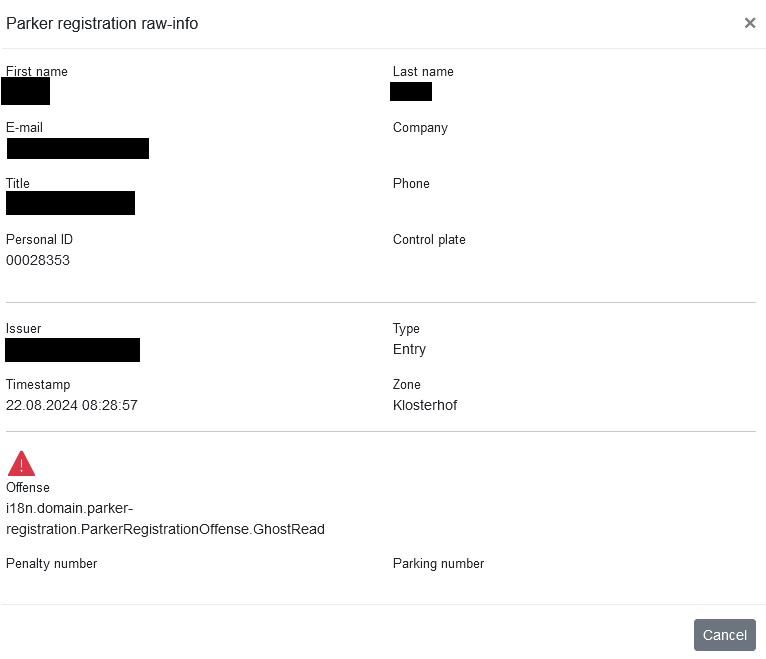
Abbildung 22: Parker registration information raw
Homepage Evaluated:

Abbildung 23: Parker registration evaluated
The structure of the evaluated registration data page is similar to that of the raw data page. Here, however, the focus is on the session duration page, i.e. the time the parker spends at a particular parking space. Here, too, the most important data is immediately visible and can be viewed in detail using the eye symbol.
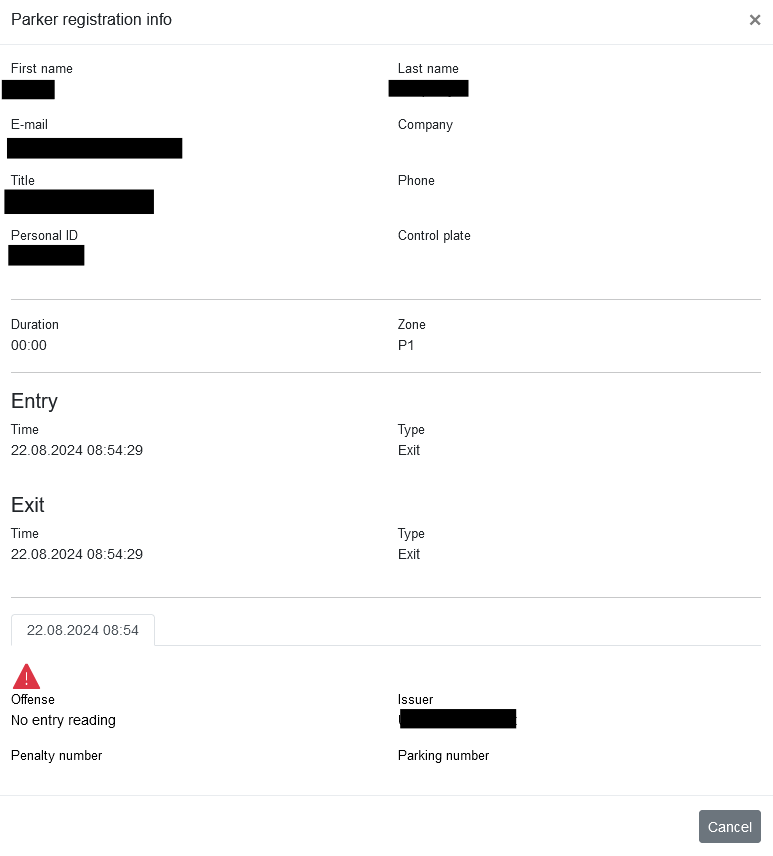
Abbildung 24: Parker registration Information evaluated
After the first block with private details, the duration of the parking session is immediately visible, together with the location in which the parker was registered.
A parker can also be registered several times, one after the other, by several scanners. This happens as follows:
Let's take an example with three consecutive parking zones. The parking zones are connected to each other and each has its own entry scanner, but only the third zone has an exit scanner at the end.
A parker enters the first parking zone and is detected by the entry scanner. Without parking, he continues into the second parking zone and is again detected by this entry scanner. A parking procedure for the first parking zone now appears in the system with the type "automatically closed". He now parks in this second zone for a certain period of time. He then drives off, passes the third entrance and this parking process again appears in the system as "automatically closed". Immediately afterwards, he leaves the third parking zone and is therefore detected by the exit scanner there. A "normal" parking process of the type "exit" now appears in the third zone. As the times in the first and third zones were shorter than the maximum drive-through time, both are not counted as parking processes and therefore cost nothing. Only the second time is longer than the maximum drive-through time and is therefore recorded and debited as effective parking time. All these individual steps can be viewed in this detailed view.
Entries of offences can also be viewed again here.
If a "ghost read" is recorded as an offence, this indicates a location where two scanners (entrance and exit) have been set up unfavourably and entrances/exits have recorded a vehicle more or less simultaneously. This is not misbehaviour on the part of the parker, but can be seen as an indication to the company that some of the scanners may need to be placed elsewhere to avoid this type of "offence". Although these ghost reads are recorded by the system, they have no influence on parking sessions and therefore also not on the resulting costs.