Introduction
Within the framework of the web application, the administration of user profiles and thus their access rights or authorisations was realised in the form of "roles". Each user profile is assigned a previously defined role. Only one role can be assigned to a user. A role basically defines which access rights it has or which functions can be executed.
Overview
An overview of the roles is shown below:
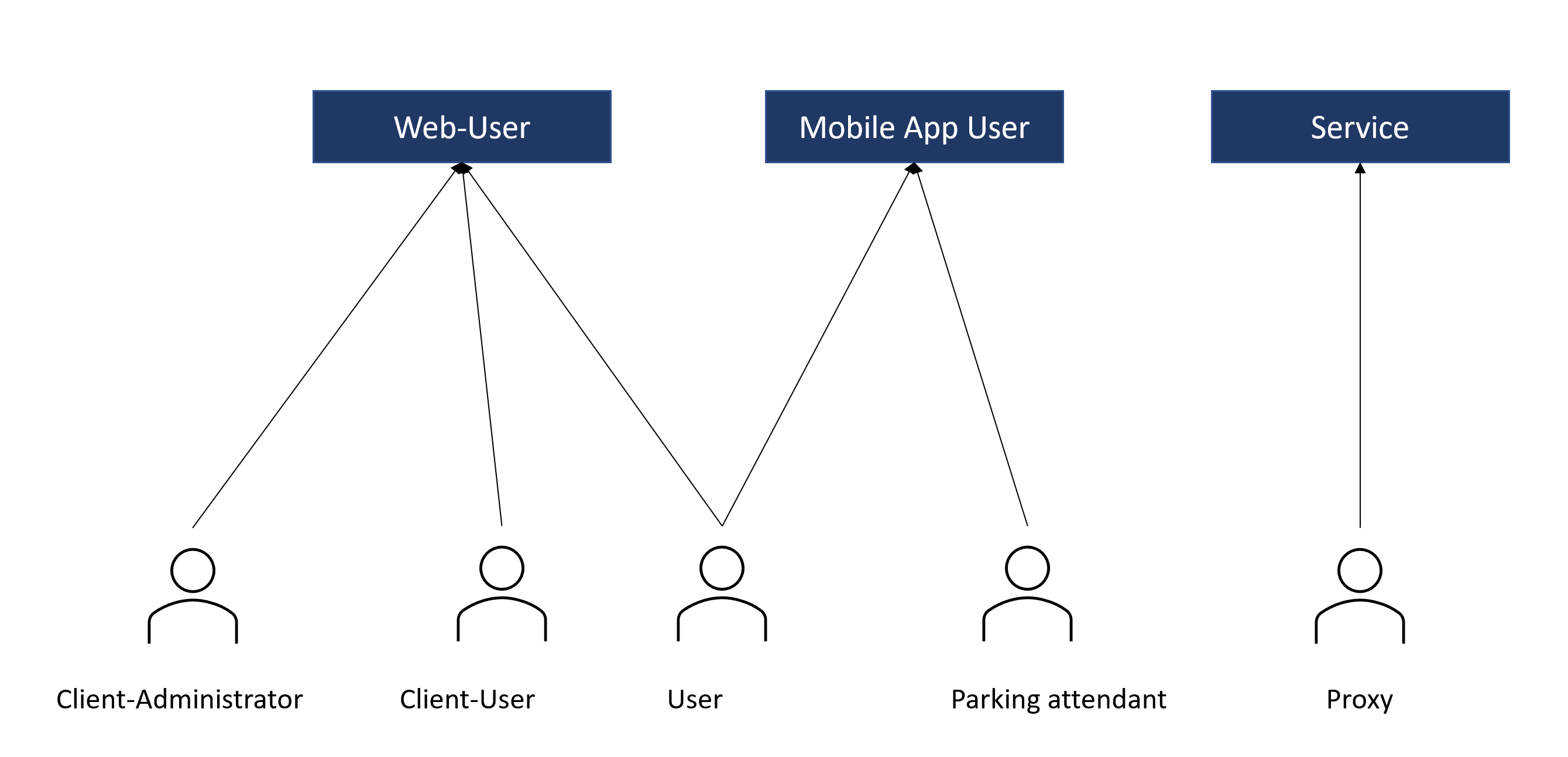
Abbildung 2: Example user roles
Client administrator: The client admin has the rights to make changes in the system within a company.
Client-user: Users of companies and businesses that own and manage a larger number of parking spaces and have access to the web app. However, they only have reading rights and cannot make any configurations.
User: Users are private individuals who can use the mobile app themselves as parker or third-party parker or who also have access to the web app if they have their own parking spaces to manage. Users can only create their own accounts and view personal information.
Parking attendant: The parking attendant has been employed by a customer (car park operator) to control the parker in an allocated parking space. Such users can only use the mobile app and do not have access to the web app.
Proxy: In order not to have to manually read several hundred or thousand employees into the web app and keep them up-to-date, companies can operate proxies in their local network, allowing them to access more sensitive data, such as employee data. In order to ensure data protection at all times and to avoid having to open a hole in the network firewall (port forwarding, NAT), the proxy reads this internal data and transfers a data set defined exactly by the customer to the cloud. Thanks to the proxy, the internal devices do not have to be directly accessible from the cloud either. The proxy transmits the commands from the cloud to the internal devices.